
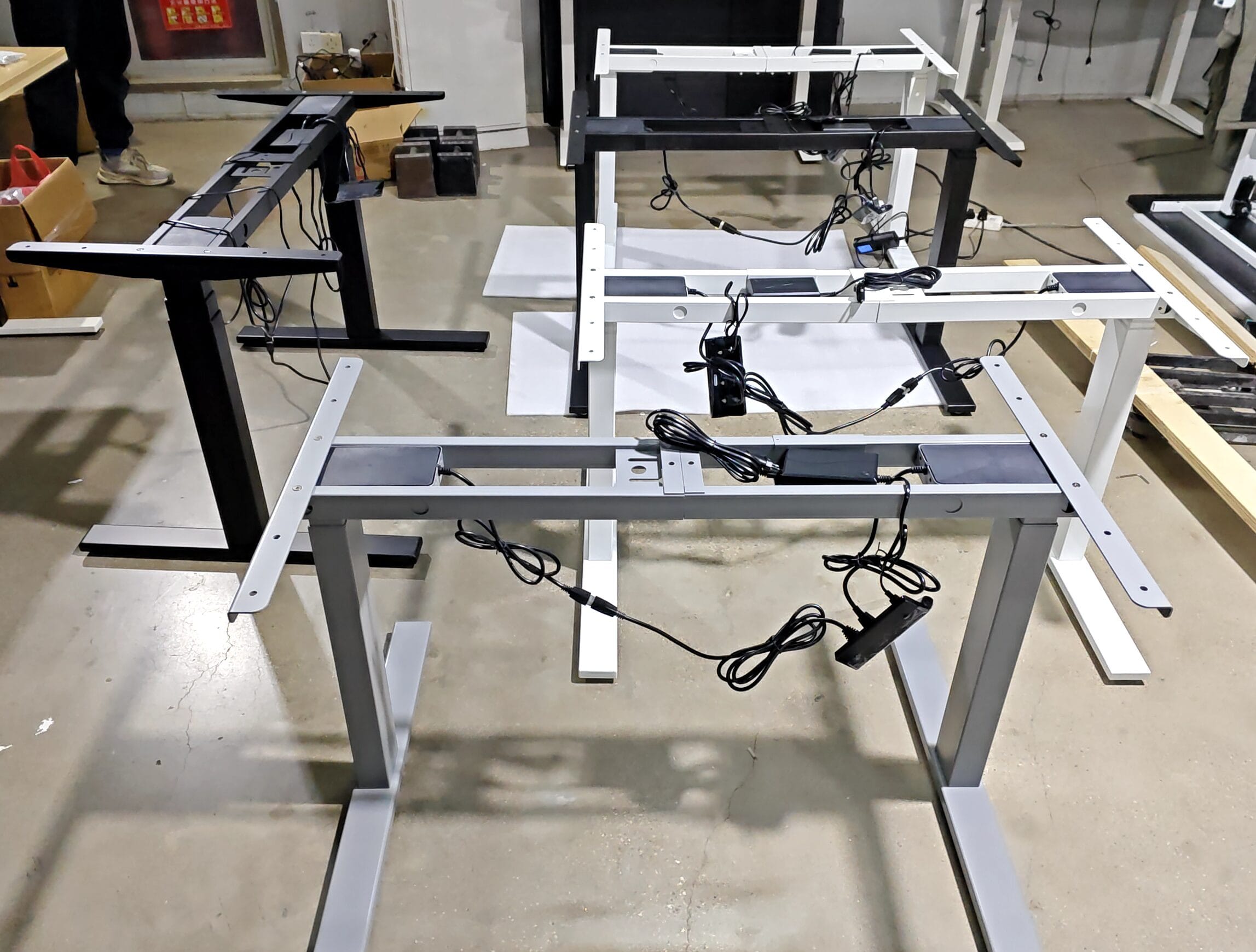
Quick Answer
For a single motor vs dual motor standing desk decision, B&H Ergonomics recommends a single-motor model when the budget is tight and its height range and load rating fit the workstation. If you can increase the budget, or are buying with five years or more of use in mind, our recommendation is a dual-motor model. Comparing BH-S22RS with BH-D23RS makes the tradeoff concrete: compare the beam layout, control system, assembly and height range, then check the complete desk at your working height.
Last Updated: September 10, 2026 | Author: William | Estimated Reading Time: 7 minutes
When Is a Single-Motor Desk the Right Choice?
We recommend BH-S22RS when keeping the purchase within budget is the deciding constraint. It retains electric adjustment, so the user can change desk height without turning a crank. Before choosing it, check that its lowest position, highest position and rated moving load cover the intended setup.
When there is room to increase the budget, our preference is BH-D23RS. That recommendation becomes stronger when the buyer is planning to keep the desks for five years or longer. For that ownership period, we would put more of the available budget into the frame and review replacement-parts availability and service terms alongside the purchase price.
Five years describes the buyer’s intended ownership period here. The applicable warranty and service coverage belong in the quotation.
BH-S22RS vs BH-D23RS: Compare the Actual Frames
The following comparison uses B&H Ergonomics’ standard model specifications. Heights are measured at the frame; the finished-height example adds the same 25 mm desktop to both models.
| Specification | BH-S22RS | BH-D23RS |
|---|---|---|
| Motors | One | Two |
| Legs and column stages | Two legs, two-stage columns | Two legs, three-stage columns |
| Standard frame height | 720–1180 mm | 600–1250 mm |
| Finished height with a 25 mm desktop | 745–1205 mm | 625–1275 mm |
| Standard vertical travel | 460 mm | 650 mm |
| Rated dynamic load | 60 kg | 130 kg |
| Listed lifting speed | 25 mm/s | 32 mm/s |
| Order requirement | 100 workstations of this model | Mixed project total of 40 workstations |
The dynamic load rating concerns lifting. Include the desktop and everything that travels with it when reviewing the proposed load with the supplier. The listed speeds are specification values; ask for the measurement conditions if loaded lifting speed is important to the project.
Other height configurations are available: BH-S22RS can be supplied with a 700–1200 mm frame range, while BH-D23RS also has 575–1225 mm and 625–1275 mm options. Name the selected range in the order so that the quoted frame matches the height you planned around.
The two models also differ in column construction. Their height ranges describe these particular configurations, rather than a height advantage created by adding a second motor alone.
Where the Lower Price Comes From: Beams and Controls
Single-Beam and Double-Beam Frames
In the budget single-motor desks we encounter, a single crossbeam is the most common layout. B&H Ergonomics can supply a single-beam or double-beam single-motor frame according to the project budget. Ask which construction is included when comparing a BH-S22RS quotation.
These beams are structural members of the frame. The drive shaft has a different job: it transfers rotation between the lifting mechanisms. Count the supporting beams separately from the drive shaft when reviewing the drawing.
If two single-motor quotations have different prices, compare their beam arrangements before treating them as equivalent. Record the chosen layout in the purchase specification and inspect that version on the sample. The stability check should use the quoted build, including its beams, feet and desktop connections.
A Separate Control Box or Controls Integrated into the Handset
The handset is the panel the user presses to raise or lower the desk. A popular current design for single-motor standing desks integrates the control electronics and software into the handset. This removes the cost of a separate control box and is one way to keep the frame within a tight budget.
Dual-motor configurations are available with a separate control box and handset. The handset provides the user interface, while the control box manages the connected drive system. When reviewing a BH-D23RS quotation, identify the supplied control box and handset as separate components.
Specify the control arrangement alongside the motor count. For example, component manufacturer JS Technology lists an SA02 control box for a single-motor desk, so the exact component list matters when comparing suppliers.
| Quotation detail | What to record |
|---|---|
| Structural beams | Single-beam or double-beam frame, matched to the drawing and sample |
| Control arrangement | Controls integrated into the handset, or a separate control box and handset |
| User functions | The memory settings and other functions included in the quoted version |
| Replacement components | The matching handset or control-box model and the supplier’s service terms |
Request the functions you need explicitly. A memory-button layout alone does not identify the control architecture or establish which replacement parts will work with it.
Why the Drive Shaft Makes Assembly More Involved
In our experience, installation is the most common source of problems with the single-motor arrangement. Its connecting drive shaft adds assembly work between the legs, making the process more involved.
One motor drives the two lifting mechanisms through that mechanical connection. The installer has to complete the drive-shaft connection as well as assemble the frame. On BH-D23RS, each leg has its own motor, coordinated by the control system. For the underlying drive arrangements, see how a standing desk mechanism works.
For a project order, have the installation team assemble a sample before committing to the rollout process. Use the supplied instructions, identify the drive-shaft connection steps and record where the installer needs clarification. Keep the approved assembly instructions with the installation team, especially if different people will assemble later batches.
This gives the buyer a practical way to include assembly effort in the comparison. A lower frame price is only one part of the purchasing decision when dozens of desks must be put together.
Height Range and Stability: What Changes in Daily Use?
Check the Lowest Seated Position First
With the same 25 mm desktop, the standard BH-S22RS reaches a minimum finished height of 745 mm. The standard BH-D23RS reaches 625 mm—a difference of 120 mm. At the upper end, the corresponding finished heights are 1205 mm and 1275 mm, giving BH-D23RS another 70 mm of reach.
That lower starting point can be the deciding factor. If a user’s required seated working height is below 745 mm, the standard BH-S22RS configuration does not reach it. Compare the selected frame’s finished range with both seated and standing requirements before accepting the cheaper option.
For the standing position, measure your working height with the keyboard and usual footwear in mind. If a standing mat is part of the setup, include it in that check. Record the required positions and compare them with the specific frame range on the quotation.
Compare Stability at the Same Working Height
Alongside height range, stability is one of the differences we emphasize when helping buyers compare these frames. Evaluate it on the assembled workstation at the height where it will actually be used.
Use the same desktop size and thickness, equipment placement and floor conditions for the two samples. Raise both desks to the same working height, then compare front-to-back and side-to-side movement during the intended tasks. A monitor arm is worth including if it is part of the planned setup: screen movement can be more noticeable to the user than movement at the frame.
Record the beam layout with the sample configuration and the buyer’s acceptance decision. If the quotation changes from a double-beam frame to a single-beam frame, repeat the check on that build. Frame joints, feet, columns and desktop connections all contribute to the result.
Is the Dual-Motor Upgrade Worth It for Your Project?
Our recommendation is to choose BH-D23RS when the budget allows, particularly for a purchase planned around long-term use. BH-S22RS remains the budget option when its working range and load capacity meet the requirement.
| Your situation | Selection guidance |
|---|---|
| The budget cannot increase | Consider BH-S22RS after checking height, moving load and assembly requirements. |
| You can spend more on the frame | Prefer BH-D23RS and verify the chosen configuration. |
| Two single-motor offers have different prices | Compare their beam layouts and integrated or separate control components. |
| You plan to use the desks for five years or longer | Start with BH-D23RS; review parts support and service terms with the quotation. |
| The required seated height is below the standard S22RS minimum | Compare the lower-range D23RS configurations with the user’s measured requirement. |
| A team will assemble many workstations | Include a sample assembly and installation effort in the price comparison. |
| The order is below 100 S22RS workstations | Check the model-specific quantity requirement; the 40-workstation mixed-project threshold applies to D23RS, not S22RS. |
Compare quotations with the same desktop, finish, accessories and required user functions. List the beam layout and control architecture separately so that any cost reduction is visible. Add the selected height range and sample acceptance requirements to the order.
Review the electric standing desk frames with those requirements in hand. Send the workstation quantity, desktop specification, equipment load and required low and high positions to get a configuration-specific comparison.