
Quick Answer
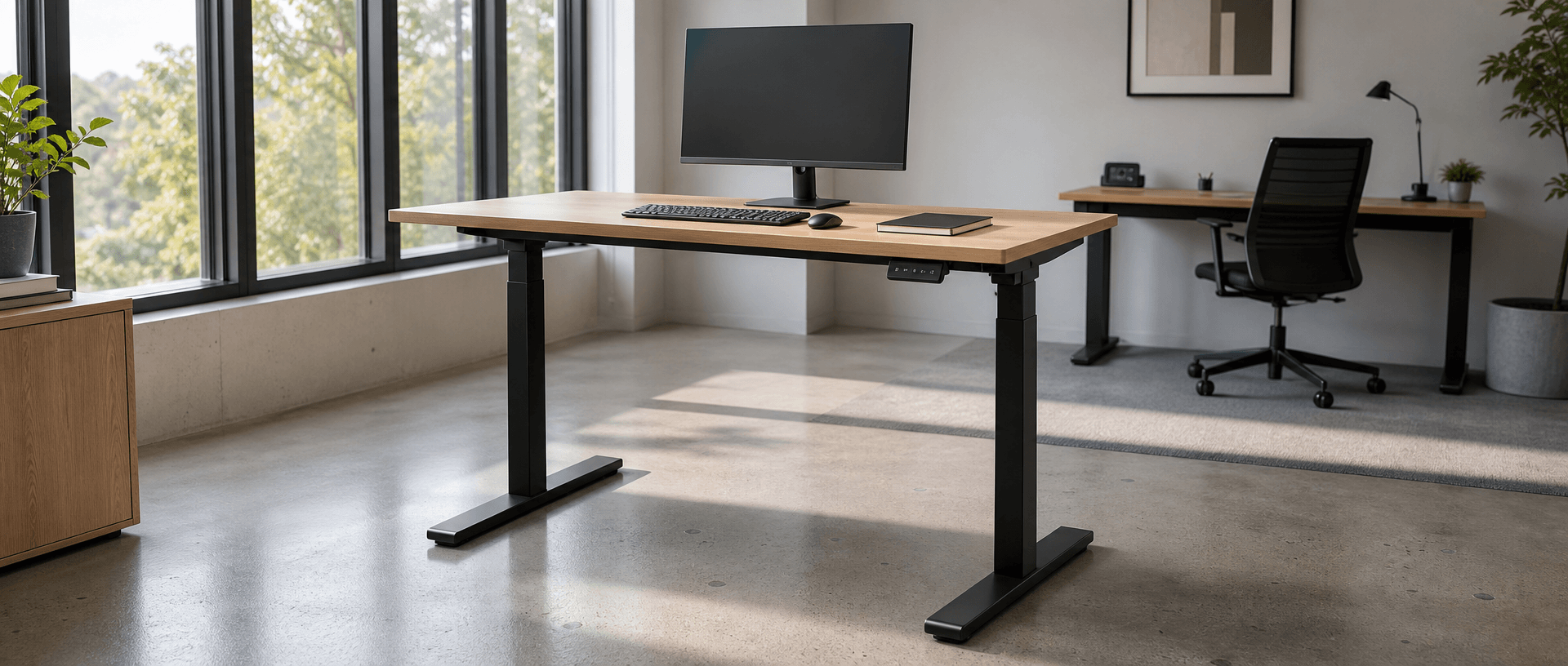
The main types of standing desks are electric desks, hand-crank desks, pneumatic desks, fixed standing-height desks and desktop converters. Start by deciding whether the whole work surface needs to move or only the equipment on a raised platform. For office projects with power available and regular sitting-to-standing changes, B&H Ergonomics recommends electric adjustment—even when the budget points to a single-motor model. Adjustment is worth paying for when people will actually use it.
Last Updated: September 13, 2026 | Author: William | Estimated Reading Time: 6 minutes
Compare the Main Standing Desk Options
A desk’s format and its adjustment mechanism describe different things. A desktop converter sits on another desk, but it can still use electric or gas-assisted adjustment. A mobile desk has wheels; that tells you nothing about how its height changes. Bluetooth controls and memory presets are features of an adjustment system, not separate lifting mechanisms.
| Option | What moves? | How you adjust it | Main selection question |
|---|---|---|---|
| Electric standing desk | The full desktop | A powered motor system controlled through a handset | Does its finished height range fit the users and equipment? |
| Hand-crank standing desk | The full desktop | Repeatedly turning a handle | Will users accept the effort each time they change position? |
| Pneumatic standing desk | The work surface | Releasing a control and guiding a gas-assisted lift | Does the specified load and adjustment range suit the task? |
| Fixed standing-height desk | Nothing during normal use | No routine sitting-to-standing adjustment | Is a dedicated standing station actually what you need? |
| Desktop converter | The converter’s platforms and their equipment | Depends on the converter’s mechanism | Is there enough useful work area at both seated and standing heights? |
A sit-stand desk must accommodate both working positions. A tall fixed table is a standing desk, but it does not offer the same function.
Electric Standing Desks: Prioritize Adjustment You Will Use
In my experience advising on budget-limited projects, the difficult choice is often a hand-crank desk versus a single-motor electric desk. My recommendation is to preserve electric adjustment.
Turning a handle takes time and effort. When someone wants to stand up, that extra task can be enough to make them postpone the change. If the desk stays at one height, the project gets little practical value from paying for an adjustable mechanism.
Electric adjustment removes the need to crank the desk by hand. It does not guarantee that people will change position, but it removes an avoidable obstacle.
Where I would spend the available budget
My starting preference for an office project is:
- A dual-motor desk with three-stage columns.
- A dual-motor desk with two-stage columns.
- A suitable single-motor electric desk.
Use that order to build a shortlist, then check the actual configuration. Motor count describes the drive arrangement; column stages describe the nested sections of the legs. Neither label alone proves that a desk has the right height range or better stability.
A two-stage model that covers every user’s working height remains a viable choice. A three-stage model that misses the required seated minimum is not made suitable by its extra column section.
For a cost-focused single-motor frame, look closely at the structure under the desktop. Ask for the frame drawing, inspect the beam arrangement and connections, and assess the assembled desk at the intended standing height. Do not infer its stability from the motor label.
On a model with a connecting drive shaft, follow the assembly instructions for alignment and securing the connection. For example, the VIVO DESK-V100EBY series assembly manual documents a sync rod connecting the legs and requires their heights to match during assembly. That is a model-specific installation requirement, not evidence that all single-motor desks fail more often.
If you need to understand the difference between that linkage and a motor in each leg, see our explanation of how a standing desk mechanism works.
Hand-Crank Standing Desks: Consider the Cost of Each Adjustment
A hand-crank desk raises and lowers the desktop through manual rotation of a handle. It can provide whole-worktop adjustment without an electrical supply.
That makes it worth considering where power is genuinely unavailable. For a powered office workstation, however, I would not choose it solely because the initial quote is lower.
Ask the intended user to try the full movement from their seated height to their standing height and back, with the planned equipment in place and within the desk’s limits. Check whether the handle is easy to reach and whether anything obstructs its rotation.
The useful comparison is not just whether both desks can change height. It is whether that movement feels convenient enough to repeat during the working day.
Pneumatic Standing Desks: Check the Intended Workstation and Load
A pneumatic desk uses a gas-assisted lifting mechanism rather than an electric motor. A documented example is VIVO’s CART-V00LW pneumatic mobile workstation: the manufacturer identifies a pneumatic spring lift, a 22 lb desktop capacity and lockable casters. Those specifications describe that model, not the whole category. Use the operating instructions for your shortlisted desk to check its load limit and adjustment procedure.
The pneumatic desks I commonly encounter are small mobile tables. That is a useful application to consider, rather than a rule that all pneumatic desks are small or portable.
For a laptop station or a surface moved between rooms, examine the available work area, base footprint and wheel-locking arrangement. For a full computer workstation, check whether the desk accommodates the monitors, keyboard, documents and accessories together.
Try the lift with the intended equipment load. A showroom demonstration with an empty top does not show how your configured workstation will feel to adjust. Do not assume that a maximum load rating promises equally easy movement with every load below it.
Fixed Standing Desks and Desktop Converters: Check What You Give Up
Fixed standing-height desks
A fixed desk can suit a dedicated standing task when its height matches the work. It does not let the same surface move between ordinary seated and standing positions.
Choose this format when a standing station is the requirement. If employees need to alternate positions at one workstation, specify an adjustable solution instead.
Desktop converters
A converter keeps the existing desk and raises the equipment placed on its platforms. It can make sense when replacing the desk is impractical or prohibited.
My main concern is usable workspace. The base occupies part of the existing desktop, while the raised platform sets the area available when standing. Documents, a notebook and other items left below do not rise with the keyboard and screen. That split can make the workstation feel crowded and harder to organize.
Compare the converter’s raised platform with the working area the user needs. If the computer fits but the documents and writing space remain below, the setup does not provide the same usable standing surface as a complete desk. Choose a converter to retain existing furniture when that tradeoff is acceptable; choose whole-worktop adjustment when the task needs the full surface to move.
Choose a Type, Then Verify the Actual Configuration
Once you have selected the format and adjustment method, use the supplier’s drawings and instructions to complete the purchase decision.
| Record before ordering | What to confirm |
|---|---|
| Required seated and standing heights | The finished desktop reaches both positions, including the selected top thickness |
| Equipment and working area | The keyboard, monitors, documents and accessories fit where they are needed |
| Working load | The specified limit covers the intended configuration; clarify whether the desktop is included |
| Structure and assembly | Frame connections, feet and any drive linkage match the installation instructions |
| Power and movement | The supply suits the site and cables can travel without pulling or snagging |
| Support after installation | Assembly documentation, replacement parts and service terms are available for the chosen model |
For projects choosing powered whole-worktop adjustment, compare electric standing desk frames against those recorded requirements. Request the specification for the actual frame and desktop combination.
Protect the function people are buying: a work surface they can adjust easily, with enough room to keep working after it moves.