
Quick Answer
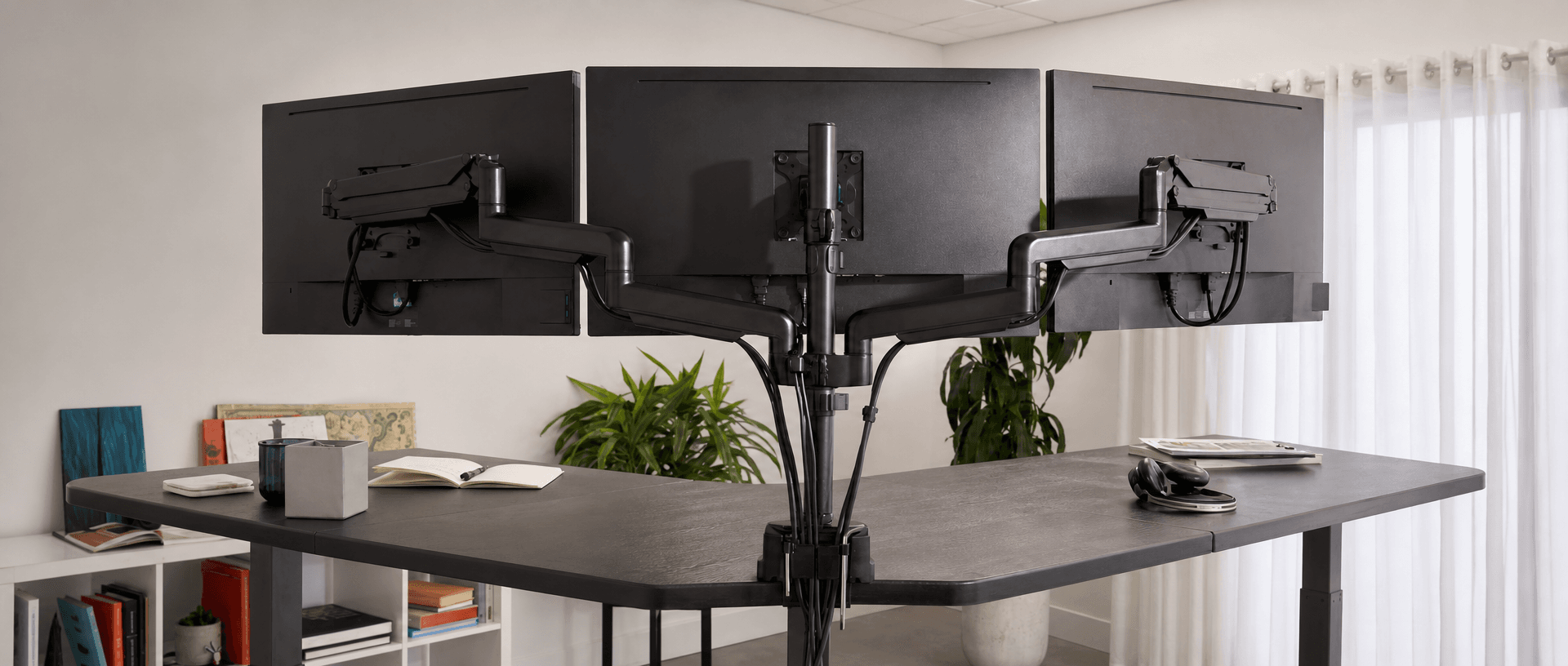
For a standing desk for 3 monitors, B&H Ergonomics recommends starting with a 180 × 80 cm desktop, 25 mm thick, monitor arms and the BH-D23RS dual-motor frame. We recommend at least 160 cm of width for this setup, subject to the actual screen layout. If space allows, consider an L-shaped desk with the BH-T33RS three-motor frame. Check the screen dimensions, arm compatibility and complete moving load before ordering.
Last Updated: September 8, 2026 | Author: William | Estimated Reading Time: 6 minutes
Start with a 180 × 80 cm Desktop
For the three-monitor configurations we advise on at B&H Ergonomics, 180 cm wide and 80 cm deep is our usual starting recommendation. That is approximately 70.9 × 31.5 inches. It leaves more room to arrange the screens and working equipment than the 160 cm width we recommend as a minimum starting point.
When a 160 cm Desktop Needs a Closer Layout Check
A 160 cm desktop is approximately 63 inches wide. Whether it works depends on the actual width of the monitors, their orientation and how the arms position them. Screen size in inches describes the diagonal, not the width across the desk.
Before selecting the top, draw the intended arrangement using each monitor’s outside dimensions. Include the side screens at their intended angles, the keyboard and mouse area, and any equipment that must stay on the surface. Check the arm’s reach and spacing limits as well: a wide desktop cannot compensate for a mount that cannot position your screens correctly.
Do not assume three large screens fit simply because the desktop is 180 cm wide. Use the layout to decide whether to change the screen positions, select a larger compatible surface or consider an L-shaped arrangement.
Why We Recommend 80 cm of Depth
Desk depth is one of the questions customers ask us most often about three-screen setups. Our recommendation is 80 cm, providing room to position the screens while keeping a usable keyboard and mouse area in front.
Monitor arms free the surface from separate screen bases, but their joints and clamps still occupy space. Check how far the arms project behind the desktop and whether they can move without contacting a wall or partition. The quoted desktop depth does not include that additional clearance.
If a printer will sit on the desk, include its footprint, paper tray and access space in the layout. Do not allocate every available centimetre to the monitors and leave the printer placement until installation.
When an L-Shaped Desk Makes More Sense
If the room allows it, an L-shaped desktop with the BH-T33RS three-motor frame provides an alternative for a workstation that needs a separate area for printing, paperwork or other equipment.
Choose the left- or right-hand return around the room and the user’s tasks. Record both wing dimensions and check the complete moving outline against nearby cabinets, walls and furniture. The 180 × 80 cm straight-desk recommendation is not a specification for each wing of an L-shaped top.
Keep the main screen and input devices in a comfortable working position. Extra surface area helps only if the equipment placed there remains accessible.
Use Monitor Arms with a Suitable 25 mm Desktop
For this three-monitor setup, we recommend monitor arms and a 25 mm desktop—approximately 0.98 inches thick. We do not recommend choosing a thinner top for this configuration.
Thickness is one part of the mounting decision. Check the desktop material and construction, the permitted mounting method, and the support around the clamp location. A 25 mm top is not automatically suitable for every arm simply because the clamp opens wide enough.
Check Each Monitor Against the Arm Specifications
Record each screen’s weight without its original stand, its mounting pattern and its dimensions. Compare them with the selected arm’s requirements, including any minimum and maximum supported weight.
Arm specifications apply to individual screens as well as the complete assembly. For example, the Vari Triple-Monitor Arm specifications list a capacity of 17.6 lb per arm, supported screen sizes of 17–30 inches, and a desktop clamping range of 0.4–2 inches. Those are specifications for that particular product, not a compatibility approval for your chosen B&H desktop.
A combined screen weight below an arm system’s total capacity does not establish that each screen meets its individual limit.
Check the Clamp Position Before Assembly
Confirm that the clamp has the contact area required by its instructions above and below the desktop. Look for interference from the frame crossbar, cable tray, rear-edge shape or other fittings.
If the desktop construction is unsuitable for the mount, select a compatible top or an approved mounting arrangement. Do not assume that tightening the clamp further or adding an unspecified plate resolves the mismatch.
Count the Complete Moving Load
In our experience at B&H Ergonomics, three monitors and their support arms commonly total around 15–25 kg (33–55 lb). Use that as an initial planning range, then replace it with the weights of the equipment you select.
It is not the total load the desk must lift. Include the desktop, printer, computer equipment and every accessory attached to the moving assembly.
| Item | What to include | Actual weight |
|---|---|---|
| Desktop | Complete installed top; both sections for an L-shaped desk | _ kg |
| Three monitors | Screens without any original bases removed during installation | _ kg |
| Monitor arms | Complete arms, clamps and mounting hardware | _ kg |
| Computer equipment | Computer, dock and equipment carried by the desk | _ kg |
| Printer | Printer and its normal paper load, if carried by the desk | _ kg |
| Other items | Documents, accessories, loaded cable tray and other moving fittings | _ kg |
| Total moving load | Sum of the items above | _ kg |
Compare the completed total with the selected frame’s rated dynamic load and stated load-accounting requirements. Record expected equipment additions before ordering. Do not treat an internal test load or a static-load figure as the permitted operating load.
Also check where the weight sits. The frame’s total capacity does not establish whether a particular desktop edge can support a monitor-arm clamp or whether the installed screens will remain acceptably steady during use.
Why We Usually Recommend a Dual-Motor Desk
For a straight three-monitor workstation, BH-D23RS is our usual recommendation. We prefer the dual-motor configuration when the desktop must carry multiple screens, arms, everyday items and potentially a printer.
Our alternative, where the space and layout justify an L-shaped desk, is the BH-T33RS three-motor frame. Choose between these layouts according to the usable workspace and equipment arrangement, then check the actual model specifications against the load sheet.
Our Experience with Single-Motor L-Shaped Desks
In my experience, single-motor, three-leg L-shaped desks have been more prone to faults than ordinary single-motor, two-leg desks. This is a practical observation, not a measured failure-rate comparison across brands or models.
That experience informs my preference for a three-motor configuration when recommending an L-shaped desk. It does not mean every single-motor desk is unreliable, or that motor count alone proves a frame’s capacity or service life.
When comparing B&H Ergonomics standing desk frame options, use the desktop dimensions, monitor-arm arrangement and full load sheet to specify the configuration. For an office project, carry those details into the quotation and sample check so the ordered frame matches the workstation you intend to install.
Check Cable Travel and the Installed Workstation
Install and route cables according to the desk and arm instructions, with the travel path clear. Check both working heights and the movement between them with the intended equipment in place.
Pay particular attention to connections between moving equipment and fixed points: a floor-level computer, wall socket or network outlet. Leave enough cable length for the highest intended position, then check that loose loops cannot catch when the desk lowers.
Include the printer cable, if fitted, and the screens and arm joints in the clearance check. Stop adjustment if anything becomes taut, catches or contacts an obstruction; correct the arrangement before continuing.
With the desk at standing height, type, use the mouse and check whether screen movement interferes with the work. Investigate the mounting and desk assembly if it does. For personal screen and input positioning, use the standing desk ergonomics checklist.
Three-Monitor Configuration Checklist
Complete this record before ordering, then repeat the fit and movement checks on the installed workstation.
| Decision | Record or verify |
|---|---|
| Layout | Straight desk or L-shaped; left- or right-hand return if applicable |
| Desktop | Width, depth, thickness, material and mounting suitability |
| Screens | Actual dimensions, orientation, individual weight and mounting pattern |
| Arms | Model, individual screen limits, reach and clamp requirements |
| Extra equipment | Printer, computer and paperwork space included |
| Load | Complete moving weight checked against the selected configuration |
| Frame | BH-D23RS for the straight layout, or BH-T33RS for the L-shaped option |
| Installation | Clamp clearance, cable travel and surrounding space checked |
| Working positions | Comfortable screen placement and acceptable movement in use |
For a shared specification, add the workstation ID, selected component models and any unresolved fit issue. Resolve those items on the configured sample before repeating the setup across an office.