
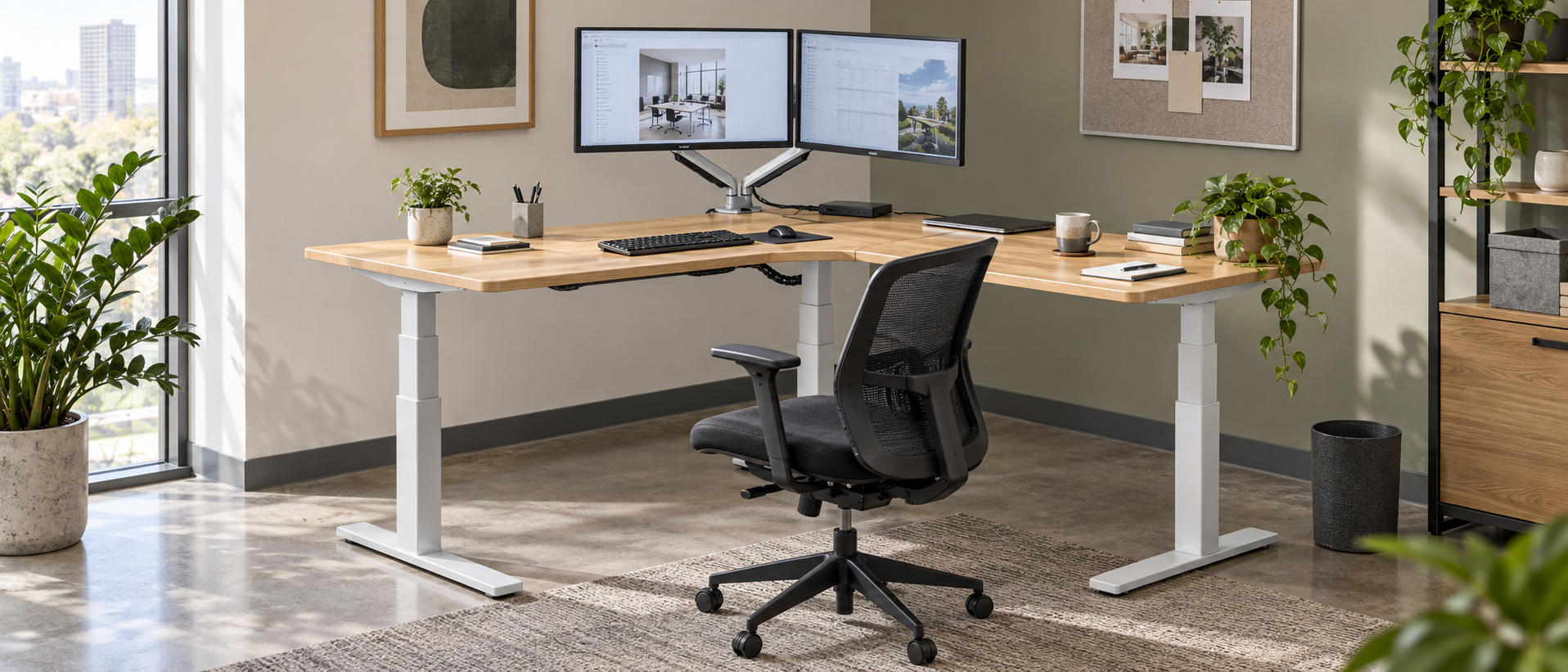
A corner desk for two monitors needs more than two screens and a desktop that fits the room. You also need enough depth for the viewing distance, clear space for the dual-monitor arm, room to pull out the chair, and cable slack for the full sitting-to-standing movement. Measure those conditions before choosing the left or right return of an L-shaped workstation.
Quick Answer
Plan the two monitor positions first, then draw the desk around them. Keep the primary screen directly in front of the main seated and standing position. Place the second screen on the return only when its viewing angle, arm movement and cable route remain comfortable. Measure the complete raised and lowered footprint, not only the desktop outline.
Last Updated: August 21, 2026 | Author: William | Estimated Reading Time: 5 minutes
Start with the room and the corner
Measure both walls from the corner, then record doors, windows, radiators, columns, outlets and circulation paths. Draw the two desktop wings as separate rectangles. This makes the left-hand and right-hand options easy to compare.
Leave enough space behind the chair to pull it out and stand up without blocking a doorway or a shared route. A corner that looks unused on a floor plan may be needed for chair movement, storage access or installation.
Before ordering, mark the desk’s lowest and highest positions. A wall, shelf or dual-monitor arm that clears the desk at sitting height may interfere when the frame rises.
Choose the primary screen position
The main monitor should face the position used for most keyboard and mouse work. The second monitor can sit beside it or on the return, depending on the desk depth and the arm configuration.
Use the return for less frequent tasks when turning toward it would make the main work position awkward. Place documents, reference material or a secondary application there only when you can reach them without pushing the chair into the corner.
Two screens do not automatically require a larger desk. They require a layout that keeps the primary work zone clear and gives both screens a stable mounting position.
Check dual-monitor-arm clearance
Measure the dual-monitor arm clamp location, not just the screen width. Check the following points:
- The clamp must fit the desktop thickness and stay clear of the corner joint.
- The arm must swing without hitting a wall, privacy panel or the other screen.
- The raised desk must not bring the arm or screen into a shelf, window frame or overhead obstruction.
- The second screen must remain visible when the primary screen is centred.
If the return is shallow, a screen mounted on that wing may consume most of the usable surface. Test the arm movement on the floor plan before selecting the orientation.
Plan depth, reach and shared equipment
Desktop width determines whether both monitors fit. Desktop depth determines whether the screens, keyboard, mouse and paperwork can share the same work zone.
Keep high-frequency items in front of the primary position. Put the printer, notebook, dock or other shared equipment on the return only when it remains reachable without crossing the main keyboard area.
For a project installation, repeat the same plan for each workstation. Check whether adjacent corners, shared storage and circulation paths leave the same clearances after every desk is raised.
Plan power and cable travel
A sit-stand corner desk needs cable slack for the complete height range. Locate outlets before fixing the orientation, then define a cable route from each monitor and computer to the moving frame and from the frame to the wall.
Avoid a tight bend at the corner. Keep cables away from pinch points, chair wheels and the frame’s moving parts. Test the route at both the lowest and highest desk positions before installation.
A dual-monitor arm adds another moving section. A cable that reaches the desk may still pull against the arm when the screen is repositioned.
Confirm the frame configuration
When requesting a quote, send the room plan and ask the supplier to confirm the complete configuration. Request the actual dimensions of both wings, the column positions, minimum and maximum working heights, control-system arrangement and accessory clearances.
Confirm that the quotation describes an L-shaped frame or a compatible two-wing system. A straight frame, a two-person bench or two unrelated desks may not provide the same corner movement or cable path.
For commercial projects, include the desktop orientation, monitor count, dual-monitor-arm type, power locations and installation access in the specification. This gives the supplier enough information to check the proposed layout rather than quoting a generic frame.
For broader workstation and project configuration guidance, see B&H Ergonomics’ commercial standing desk solutions.
Pre-order checklist
- Measure both walls and the complete circulation path.
- Draw the left-hand and right-hand return options.
- Mark the primary and secondary monitor positions.
- Check dual-monitor-arm clamp and swing clearance.
- Confirm desktop width and depth for both wings.
- Mark chair pull-back and storage access.
- Locate outlets and plan cable slack for full travel.
- Confirm the actual L-shaped frame dimensions and height range.
- Check delivery, assembly and installation access.
FAQ
Is a corner desk better for two monitors?
A corner desk can give two monitors separate working zones, but it is better only when the room preserves chair movement, dual-monitor-arm clearance and access to both wings. A straight desk is easier to use when the corner is needed for circulation or storage.
Should both monitors go on the main desk wing?
Place both screens on the main wing when that keeps the keyboard and mouse position centered and the return would force an awkward viewing angle. Use the return for the second screen only after checking its arm swing, viewing angle and cable route.
When a straight desk is the better choice
Choose a straight workstation when the corner is needed for circulation, storage or shared access, or when the second wing does not support a distinct work task. A smaller, well-planned straight desk can give two monitors a cleaner reach and cable path than an L-shaped layout that fills the corner without improving the work zone.